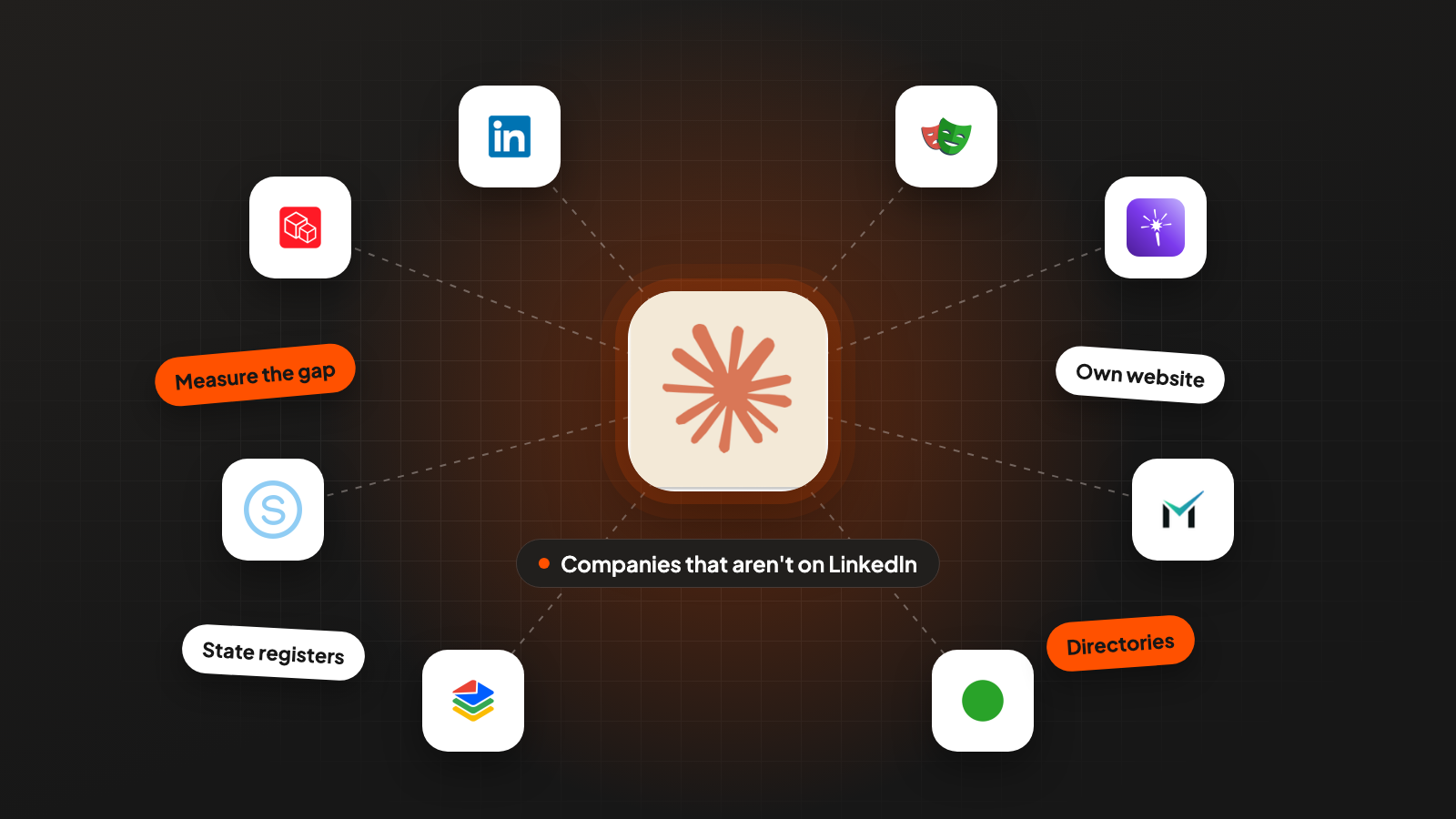
This is a step-by-step guide to finding the companies that LinkedIn-based tools (contact databases built on LinkedIn data) never show you, and the person who runs each one.
We’ll go through one example: companies that install commercial overhead doors in Ohio, Indiana and Michigan.
Say you take 100 installers from Google Maps, and your contact database finds no person at 43 of them. Four sources outside LinkedIn find a named decision maker, the person who decides on a purchase, for 37 of those 43.
This guide is for founders and list builders who sell into trades, manufacturing, local services or family-owned businesses. If you still need the list of companies itself, my TAM playbook shows how to collect it from Google Maps. Start with step 1 here, because it tells you whether you need the rest.
1. Measure the gap before you buy another tool
Before you change anything, find out how big the gap is in your market. It takes an afternoon, and the result decides what you do next.
Take 100 companies from a source outside LinkedIn. Use Google Maps results for the trade, a state license list or an association’s member directory. If you sample from a LinkedIn-based tool, you’ll measure close to full coverage, because that tool only returns companies it already knows.
Pick them at random. Don’t take the first 100 sorted by size or number of reviews. Bigger companies more often have a LinkedIn page, so a sorted list makes the gap look smaller.
Run the 100 through the contact database you already use. The number that matters is how many come back with no person who has a buying title. Paste this into Claude Code:
Read sample.csv (company, city, state, domain) and the API docs of
<contact database> at <link to the docs>. The API key is in .env.
For every domain, search people with these titles: owner, president,
general manager, operations manager. If the domain is empty, search
by company name plus city. Save every raw response to
raw/<domain>.json. Write gap.csv with: domain, people_found, titles.
Print how many of the 100 domains have zero people.
The .env file holds your API key, the password your script uses to log in to the database.
Then look at the empty ones by hand. Open LinkedIn for each company without a person and put it into one of two groups:
- Page without people: the page exists, but nobody lists the company as their employer. For a contact tool, this looks the same as no page.
- Not on LinkedIn: no company page at all.
Say you sell scheduling software to companies that install commercial overhead doors, the large doors of warehouses and loading docks. A Google Maps search of Ohio, Indiana and Michigan, and an AI check of each result against one question (does this company install commercial doors?), gives you 600 companies.
That’s a realistic count. The Census counts 704 offices with employees in the three states for NAICS 238290 (2023). NAICS is the US system of industry codes, and 238290 holds commercial door installers together with elevator and other building equipment installers.
You take 100 of the 600 at random:
- 57 come back with people from your contact database
- 12 have a LinkedIn page without people
- 31 are not on LinkedIn
That’s 43 of 100 companies where a LinkedIn-based tool gives you no person. Across all 600 companies, that’s 258.
How to read your own number. If fewer than 1 in 10 are missing, stay with your current database and skip the rest of this guide. If it’s a quarter or more, the four sources below are worth the work. I’d expect the missing ones to be older, owner-run companies. In a traditional trade, those are often the customers you want most.
Don’t expect a second database to close the gap
The first reflex is to buy a second contact database. Combining two or three of them does find more people at companies that are on LinkedIn. For the 43 that aren’t, it rarely changes the number, because of how these databases are built.
A contact database needs a public record that ties a person to a company. In B2B the biggest such record is LinkedIn, so most providers build or check their people data against it. For software companies, where nearly everyone has a profile, that works well.
For a door installer without a company page, no such record exists. The same goes for the one whose 14 employees never added the company to their profiles. Every provider built this way comes back empty on the same companies.
Email finders like Prospeo or LeadMagic do a different job. They find the email of a person you can already name. They need the name first, and the name is what’s missing here.
Use your usual tools for the companies that are on LinkedIn. For the 57 installers with people, pull every person with a buying title, not one per company. Start with GetLeads and BlitzAPI, because both are flat rate: one fixed price a month instead of a price per result. Use Prospeo last, because you pay per contact there. The rest of this guide is for the other 43.
Test a tool before you buy it. Some providers say they find contacts outside LinkedIn. Take 10 companies from your “not on LinkedIn” group and run them through the free trial or free credits of the tool you’re looking at. If it finds a decision maker at 1 or 2 of them, you know what the full purchase would give you.
The four sources below run in order, from cheapest to slowest. Each one only runs on the companies the one before couldn’t resolve. Every name you find is saved together with the link where you found it.
2. Read the company’s own website
Start here because reading a website costs almost nothing. It names the owner less often than you’d hope. But it gives you the phone numbers and email inboxes you need later, and sometimes the owner too.
Pages worth fetching:
- the homepage, including the footer
- about, our story, history
- team, staff, leadership
- contact and locations
Claude Code writes the crawler, a script that opens each website and saves its text, in Python in a few minutes. Some websites block scripts. We use Playwright for those, a free tool that lets a script open pages in a real browser.
Prompt 1a, the crawler (paste into Claude Code):
Write tools/crawl_sites.py. Input: a CSV with company, city, state, domain.
For each domain:
1. Fetch the homepage, follow redirects, record the final URL.
2. Collect internal links whose URL or link text contains any of:
   about, team, staff, people, leadership, our-story, history,
   contact, locations
3. Fetch the homepage plus up to 6 of those pages.
4. Keep the visible text of each page, footer included. Drop scripts and menus.
5. If a site blocks the request, open it again with Playwright.
6. Save one JSON file per domain to .tmp/crawl/{domain}.json
   with url and text for every page.
Run 5 domains in parallel, wait 1 second between requests to the same
domain, give up on a domain after 3 failed requests and log the reason.
Test on 5 rows, show me the output, then run the rest.
Then Prompt 1b, reading the pages:
You are reading pages from one company's website to find who runs it.

Company: {company}   City: {city}, {state}   Domain: {domain}
Pages (URL, then text): {pages}

Return JSON:
- people: every named person, with name, role as written,
  url where it appears, and quote (the exact sentence with the name)
- decision_maker: the one person most likely to buy for this company
  (owner, president, general manager, operations manager),
  chosen only from people, or "none"
- emails: every address on the pages, with type = personal | role | generic
  and matched_person if it belongs to someone in people
- phones: every number with the label next to it

Rules:
- Use only what is written on these pages.
- An email is personal only if it contains the first or last name
  of someone in people.
- Addresses from other domains on a members, dealers or partners page
  belong to those businesses. Mark them other_company.
Any AI model can run this prompt. We use Claude Code together with Gemma, a free AI model from Google that runs on your own computer and costs nothing per page.
Sort every email into three types. Personal (dale@, dvandermolen@), role (service@, sales@, office@) and generic (info@, contact@). An address counts as personal only if it contains the name of someone you found. Otherwise an address like sales1@ ends up in your list as a person.
Keep the generic inboxes. An email to info@ that opens with “Hi Dale” reads more personal than one addressed to the team. Save the inbox and the owner’s name in separate fields, so your sending tool can build that greeting.
In the example, 35 of the 43 companies have a working website. The pages name the owner or general manager at 6 of them, and 3 of those come with a personal email. That leaves 37 companies open.
3. Search the web for the owner
Search results can name the owner of a small business: local news articles, chamber of commerce member pages, business directory profiles, and owners who sign their replies to Google reviews with their first name.
Sometimes the owner has a personal LinkedIn profile that doesn’t link to a company page. Searches by company miss it. Once you have the profile link, most contact tools can find an email from it.
Run the searches through a search API. A search API runs Google searches from a script and returns the results as data. Serper and SerpApi are common picks. Both return the answer box (the short answer above the results), the knowledge panel (the info box next to them) and the normal results. Three searches per company are a good start:
- “Company Name” City owner
- who owns Company Name City
- “Company Name” City president OR “general manager”
If a search finds nothing, try Exa. Exa is an AI search engine that searches by meaning instead of exact words.
Prompt 2, the owner search:
For each company in .tmp/open_step3.csv, run these three searches
through the search API (key in .env as SEARCH_API_KEY):
  "{company}" {city} owner
  who owns {company} {city}
  "{company}" {city} president OR "general manager"
Save every raw response to .tmp/serp/{company_id}_{n}.json.

Then read the answer box, the knowledge panel and the top 10
results for each company and return JSON:
- name and role, or "none" if no result names a person for this company
- source_url: the result where the name appears
- quote: the exact answer or snippet text that contains the name
- same_company: does the source mention {city} or {domain}? yes or no
- parent: does the source describe a parent company or franchisor? yes or no
- linkedin_url: the person's LinkedIn profile, if a result shows one
Keep only names with a source. A short script checks every answer. The quote must contain the name, the quote must appear word for word in the saved search result, and same_company must be yes. If one of the three fails, the name doesn’t go on the list.
In the example, the searches find the owner with a usable source at 22 of the 37 open companies. That leaves 15.
4. Check directories, dealer lists and trade show lists
Traditional trades are well organized, but somewhere other than LinkedIn. Associations, manufacturers and trade shows publish lists of companies, and many of those lists include a person’s name.
Where to look:
- Association member directories. National and state “find a contractor” pages, usually filtered by state.
- Board pages of local chapters. Board members are listed with their own company. In small trades, they’re often the owners.
- Manufacturer dealer lists. The “find an installer” page of every brand the trade installs lists its dealers, often with a contact.
- Trade show exhibitor lists. Company, city and booth number, sometimes the person who registered.
- Certification lists. Certified installer programs list the companies that passed.
Claude Code writes a small scraper for each list, a script that copies the list from the page into a spreadsheet. Dealer pages that search by ZIP code need a loop over ZIP codes, and some need Playwright. Read each site’s terms first and keep the request rate low.
These lists also add companies you didn’t have. In the example, one manufacturer’s dealer list shows 46 installers in the three states, and 9 of them weren’t in the Google Maps results.
For the 15 open companies, the directories name 5 owners. That leaves 10.
5. Look the company up in state registers
When everything else is empty, the state often has the owner on file. Two kinds of records help:
- Business registers. In most states, the Secretary of State keeps the register of companies. Depending on the state, a record shows the officers or directors of a corporation, the managers or members of an LLC (limited liability company), and the registered agent. OpenCorporates collects many state registers in one place.
- Contractor license lookups. Where the trade needs a state license, the record often names the license holder.
What a record shows depends on the state. Test 10 companies before you build a step on one state’s register.
Check the registered agent. The registered agent is the person or firm that receives legal mail for the company. For a small company it’s sometimes the owner. Often it’s a registered-agent service, a law firm or the accountant. Filter those out before they reach your list.
In the example, the registers name an owner for 4 of the last 10 companies.
6. Decide when a company counts as found
Decide this before you start, or the search never ends. A company counts as found when it has four things:
- A person. Full name and role: owner, president, general manager or operations manager.
- A source. A link where that name appears next to the company, so a colleague can open it and check.
- A channel. In this order: a verified personal email, a company inbox plus the name for the greeting, or a direct phone number.
- A living company. The website loads or the Google listing isn’t marked closed, and there are reviews or posts from the last year.
For the emails, first remove your customers, open deals and everyone who asked not to be contacted, so you never pay for them. Then build the common formats for every name, like first.last@company.com, first@company.com and jsmith@company.com. Check them with an email verifier like MillionVerifier, which asks the mail server whether the mailbox exists without sending an email. Keep the first address that comes back valid, and drop every “unknown”. Some mail servers accept mail for any address, so a normal check can’t confirm them. These are called catch-all addresses. Send to them only after a tool like LeadMagic or BounceBan confirms them.
Stop rules I’d use:
- Stop on a company as soon as it has all four. Don’t keep searching for a nicer email.
- Stop after the four sources. Companies with only a phone number go to a calling list, because many owners in the trades are easier to reach by phone. Set the rest aside.
- No website, no Google listing and no register entry means the company may have closed. Check that before you spend more time on it.
In the example, 37 of the 43 companies now have a named decision maker with a source. 13 come with a verified personal email, 15 with a company inbox plus the owner’s name, and 9 with a phone number only. Of the 6 left, 3 have closed and 3 go to the calling list.
Scaled to all 600 companies, the four sources name a decision maker at 222 of the 258 companies where a LinkedIn-based tool gave you no person.
Five mistakes to avoid
Each rule below prevents a mistake that’s easy to make.
Measuring on a list from LinkedIn. A sample from a LinkedIn-based tool shows almost full coverage, because the missing companies were never in it. Sample from Google Maps, a license list or a directory.
Taking every address on a page as the company’s. An association page lists its members’ addresses, and a dealer list shows the dealers. Keep an address only if it sits next to a person or the name of the company you’re researching.
Branches and franchises. A search for one franchise location can return the CEO of the franchise company. If the source names a parent company, look for the local general manager instead.
Same name, different town. There may be another Fernhollow Door in Oregon. Check that the source mentions the right city or the right domain before you accept the name.
Skipping the source column. If nobody can open a link and see the name next to the company, the company isn’t found, however sure the answer sounded.
Where to start today
You can find the companies your database misses in three steps:
- Measure the gap. Take the companies for your trade from Google Maps or a license list and run them through your contact database.
- Find the owners of the rest on their own websites and with a web search (steps 2 and 3).
- Fill the gaps from directories and state registers. Every company with a named owner and a source counts as found.

