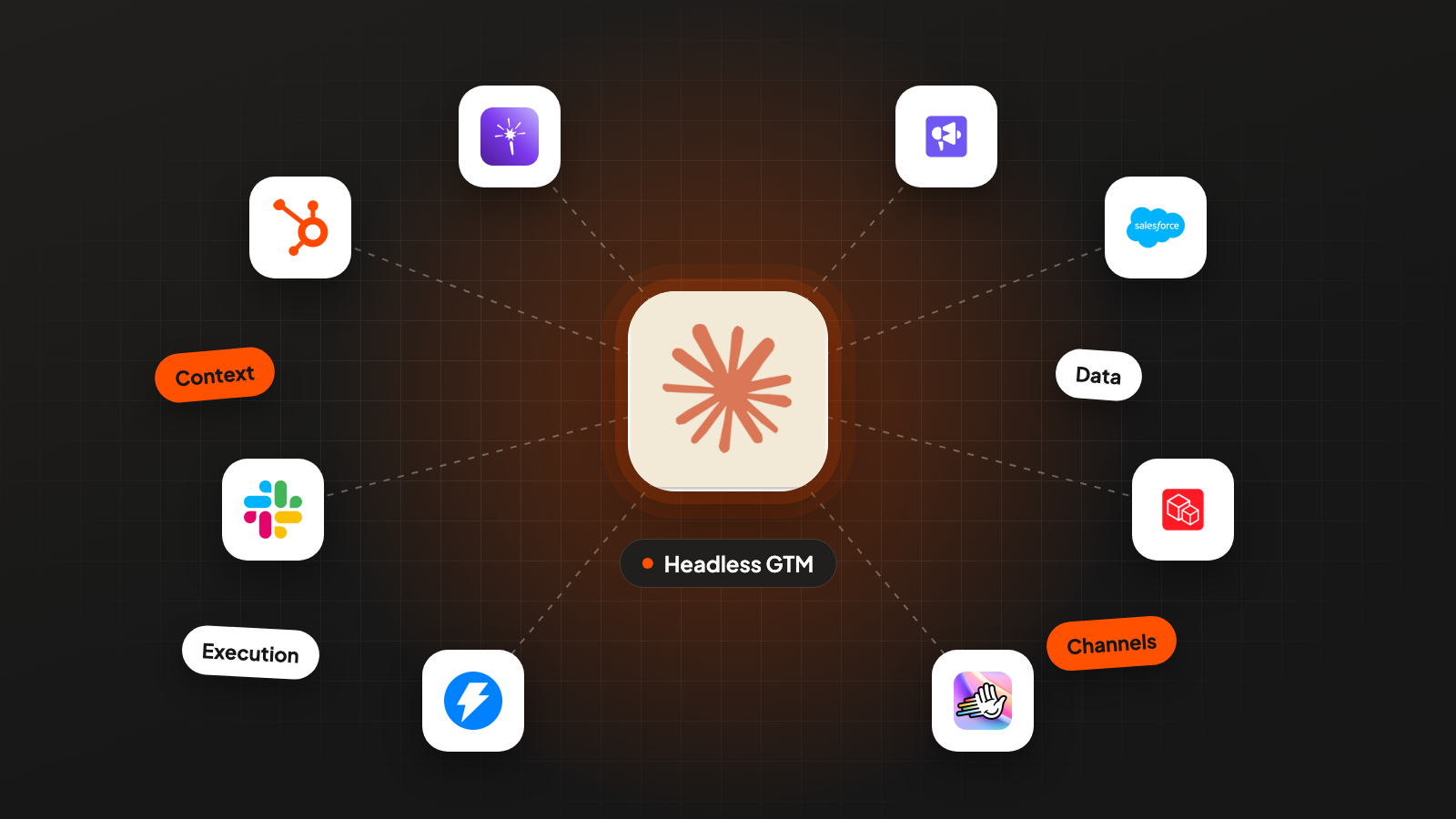
This is the complete guide to headless GTM (go-to-market).
Headless GTM means an AI agent does the work in a terminal, the text window where you type commands, and the screens of your tools only show the result.
We’ll go through one setup layer by layer: the four layers every headless setup has, the three ways a tool connects, the split between what the agent decides and what code calculates, the five points where a person still decides, and what it all costs.
Say you sell Lintelbook, a project accounting tool for US architecture and engineering firms with 20 to 200 employees. The tool prices in this guide are real.
In the example, Lintelbook runs one segment every week for $176 a month in tools, plus $26 a year for domains. Your part takes 2 hours and 30 minutes a week, and 1 hour of that is answering replies.
This guide is for founders and GTM people who have tried Claude Code and want to see how the pieces fit before they build more. Installing Claude Code, the folder, the CLAUDE.md file and the memory files are in a separate setup guide. If you already run workflows out of Claude Code, skip to step 5.
I build these systems for B2B companies, and this is the picture I explain first.
What headless GTM is, and what it isn’t
Headless GTM keeps your tools and stops using their screens as the place where work happens. The CRM (your database of customers and deals), the sending tool, the data providers and the sheets all stay. An AI agent calls them, in practice Claude Code, Anthropic’s agent that runs in your terminal. You install it with one command and start it by typing claude in a project folder. Small scripts do the repeated parts. The screens become the place where people read results and approve things.
The word comes from software. A headless program runs without a screen, and other programs talk to it through its API, the connection programs use to talk to each other directly.
For Lintelbook, a Monday looks like this. You type one sentence: “Build this week’s list of firms that posted a project accountant or office manager role.” Everything from pulling the job posts to a paused draft campaign runs from that sentence.
You come back at three of the five gates in step 5: to approve the spend, to read a sample of the list and to launch.
What it isn’t:
- An AI SDR that runs on its own. An AI SDR is software that writes and sends sales emails without a person. Here, nothing reaches a prospect until a person launches it.
- A way to stop paying for tools. You still pay for data, a sending tool and a CRM. What usually shrinks is the number of user licenses and the hours spent clicking through screens.
- Code only, for engineers. You write plain language and Claude writes the scripts. You do need to be comfortable reading what they print.
- The end of dashboards. They stay, for reading numbers and for the approve button.
Why I think it matters now. Everyone has the same AI models and similar instructions for them. What differs between two teams is the context they give the model (who they sell to, what worked, which rows were wrong last time) and the data they own. Headless GTM keeps both in files you control, where they grow week after week.
1. Build four layers: context, data, execution, channels
Every headless setup has four layers, and each one answers its own question. Context answers who and why. Data answers which accounts and which signals. Execution does the work. Channels are where a message leaves your company.
- Context. Plain-text files the agent reads before it acts. The market definition is written as pass/fail tests. Next to it sit the disqualifiers (the reasons a company is out), the offer, the voice (how your messages sound) and the rules from past corrections. For Lintelbook, the market file says “US architecture and engineering firms, 20 to 200 people, doing their own project billing”. The disqualifiers include land surveying firms, interior design studios and solo practices.
- Data. Where companies, people and signals come from, and where the status of every account lives. A signal is a sign that a company may need you now, like a job post. Company and people data come from Prospeo, BlitzAPI or GetLeads, with Apollo as another option. Emails come from Prospeo or LeadMagic and get checked with MillionVerifier. Only valid addresses stay, “unknown” ones are dropped, and catch-alls (mail servers that accept every address) need a second check with LeadMagic or BounceBan. Job posts come from BlitzAPI or LeadMagic. Your CRM, read only, tells you which customers, open deals and opt-outs to leave out. One table, the state table, holds every account with its status, its source and the date you saw it.
- Execution. The agent plus the scripts. Scripts pull data, remove duplicates, score, verify and check. API keys, the passwords scripts use to call a tool, sit in a .env file in the project folder and never go into the chat. The agent picks the order, reads errors, fixes what it can and stops where the workflow, the written instruction for the job, says stop.
- Channels. The sending tool (Instantly, Smartlead or Lemlist), a LinkedIn tool like HeyReach, the CRM (HubSpot or Salesforce) for anything a salesperson has to see, and Slack for the weekly numbers. It’s the only layer that reaches a prospect, so it gets the most gates.
Debug in the same order you build. When a campaign gets few replies, check context first (was the definition right?), then data (were the rows right?), then execution, then the channel. In my experience, most problems that look like problems with the email text sit one or two layers higher up.
Here’s the checklist I use to decide whether a layer is done:
LAYER CHECKLIST

CONTEXT
[ ] Market definition written as pass/fail tests, each naming its evidence
[ ] Disqualifiers written with the same care as the tests
[ ] Offer in one paragraph, plus the first sentence of the message:
    a fact you can show for every company, like its job post
[ ] Voice file with 5 real example messages
[ ] Rules file: one rule per correction, each with its reason

DATA
[ ] One state table holds every account (status, reason, source, date seen)
[ ] Every paid source has a known billing unit and writes to a cost log
[ ] CRM connected read only. Customers, open deals and opt-outs
    are removed before any paid contact lookup
[ ] Every buyer title at every company, no limit per company
[ ] Only valid emails kept, unknown dropped, catch-alls only
    after LeadMagic or BounceBan confirms them
[ ] Every signal stored with a URL or a date the prospect could check

EXECUTION
[ ] One script per step, same input gives the same output
[ ] Every AI question tested on companies you labelled by hand
[ ] Every run prints the row count after each step
[ ] Checks stop the run: counts add up, no source returned exactly
    its maximum number of results
[ ] Paid steps stop and ask before they run

CHANNELS
[ ] Campaigns are created paused, never live
[ ] Launch, CRM updates, merges and deletes need a person or are blocked
[ ] Replies flow back into the state table with segment and angle
2. Pick how each tool connects: API, MCP or SDK
There are three ways to connect a tool. The right one depends on how many rows go through it and how often you’ll run it.
API. A script in your project calls the tool’s API. You control paging through results, retries, speed limits and the cost log, and the results land in a file instead of the conversation. This is the route for anything bulk or repeated.
MCP server. MCP (Model Context Protocol) is an open-source standard for connecting AI agents to outside systems. A tool’s MCP server gives the agent actions it can call and data it can read. In Claude Code, it means you ask a question and the agent calls the CRM or the data provider right there in the session.
SDK. An SDK is the tool’s own code package for your programming language. It handles login, paging and errors for you, so the script gets shorter. When the tool maintains one, I’d use it instead of writing the API calls by hand.
The problem with MCP is where the results go. Every MCP result lands in the agent’s context window, the text it can see at once. Claude Code warns you when a single MCP result passes 10,000 tokens (small pieces of text, a few characters each) and cuts it off at 25,000 by default. A few dozen company records fit. Two thousand don’t. And even when they fit, the agent ends up counting rows itself, which step 3 explains is a job for a script.
| API from a script | MCP server | SDK from a script | |
|---|---|---|---|
| Where results go | A file on disk | The conversation | A file on disk |
| Best for | Bulk pulls, scheduled runs | Questions, lookups, trying a new source | Same as API, with less code |
| Rows per job, in practice | Thousands | A few dozen | Thousands |
| Lintelbook example | Pull 300 job posts | “Which of these 30 firms are customers?” | Verify 280 emails |
I use MCP to try a new data source and to ask the CRM quick questions. Once a question turns into a weekly job, or touches more than a few dozen rows, Claude writes a script for it.
3. Let the agent decide and let code calculate
The agent decides what happens next. Code calculates everything that has one right answer. The rest of the setup is built on that split.
Chain five steps that are each right 90% of the time, and the whole run is right 59% of the time. A tested script gives the same answer every time. So counts, matching, duplicates, scores, cutoffs and cost math run in Python, and the AI model writes the Python.
Every run goes through the same five stages:
- Sentence. You say what you want in one line.
- Plan. The agent reads the context files and the workflow, then writes back what it’ll do: which segment, which scripts, how many paid calls, where it’ll stop. You approve the spend.
- Scripts. The scripts run in order, raw data goes to disk, and each step prints its row count.
- Checks. A check script confirms the counts add up (every account ends in exactly one status) and picks ten rows for you to read.
- Human. You read the sample and launch.
Scoring shows the split most clearly. A score is a number of points per company, and a cutoff is the minimum score a company needs to make this week’s list. Every Lintelbook firm in this segment has an open role, so the score sorts them by everything else. Say a job post that mentions doing the billing in spreadsheets is worth 3 points. A headcount between 40 and 120 is worth 2. A new principal (a partner who owns part of the firm) in the last 90 days is worth 1. The cutoff is 3 points.
The model helps you write those rules and the points, and it reads the job posts. Python adds up the points, applies the cutoff and gives row 4,000 exactly the treatment row 1 got.
Use the model where rules can’t decide. “Office manager” at a 30-person firm can be mostly billing work, and the only way to tell is to read the duties. So the model sorts each post into fixed labels, like “mostly billing”, “mostly admin” or “unclear”, and has to quote the sentence each label is based on. A label without a quote doesn’t count. Before the model reads every post, label 30 posts yourself and fix the prompt until the model agrees with you on all 30.
We use Claude Code together with Gemma, a free AI model from Google that runs on your own computer, for this kind of reading. Gemma reads the same text a second time, and a row is only excluded when both say no.
Once a workflow runs well by hand, schedule it. claude -p plus your prompt runs Claude Code once, with nobody typing. A scheduler such as cron, the built-in task timer on Mac and Linux, starts it every Monday.
4. Turn every correction into a rule
Save every correction where the next run reads it. Save the important ones where the next run can’t ignore them.
A rule can live in three places, from weakest to strongest:
- A memory note. Claude Code saves notes in a memory folder and reads the list of notes at the start of each session. Good for preferences and background.
- A line in CLAUDE.md or a workflow. CLAUDE.md, the file of standing instructions, is read at the start of every session, and a workflow every time it runs. Both are still only context. They shape what Claude tries to do, while permission rules (step 5) are what Claude Code enforces.
- A check in code or a permission rule. The script stops or the tool call is blocked, whatever the model decides.
Move a rule up when it matters more than once. Say you decide that design-build contractors don’t fit Lintelbook. They design and build, and they buy differently. You tell Claude and ask it to save that as a memory note.
When the same rule matters in a second run, it moves into the market definition as a disqualifier. It also goes into the check script: any row that mentions design-build or general contracting is shown to a person before it goes on the list.
After a few months, this folder of rules is the part of the system nobody else has. The setup guide shows where memory files live and how to clean them up once a month.
5. Put a person at five gates
A gate is a point where the run stops and a named person decides. I’d put five in every setup. They go in front of every step that spends money or can’t be undone, plus one at the very start, because the market definition decides everything after it.
- Definition gate. Before the first pull of a new segment, a group of companies you target with one message. Whoever owns the pipeline number, the sales target the campaigns feed, signs off on the tests, the disqualifiers and the first sentence of the message.
- Spend gate. Before any paid batch. The agent states the number of calls, what the tool charges for and the estimated cost, then waits.
- Sample gate. Before a list leaves the folder. A person reads ten rows and the reasons rows were dropped. If a row is wrong, the rule behind it gets fixed and ten new rows are picked. The gate opens when three rounds of ten in a row come back clean.
- Send gate. Before anything reaches a prospect. Campaigns get created paused, and a person reads five finished emails and launches.
- Write gate. Before any change in the CRM. A person approves every update, and deletes and merges are blocked.
Enforce the spend, send and write gates in settings, not only in instructions. Claude Code has three kinds of permission rules: allow, ask and deny. It checks deny first, then ask, then allow, and the first rule that matches decides. An ask rule on the sending tool’s launch action makes Claude Code ask you every time. A deny rule on CRM deletes blocks the call.
For anything too specific for a rule, a PreToolUse hook can block the call. That’s a small script Claude Code runs before a tool call goes out.
Here’s a gate policy to copy. The first block goes into your context folder, the second into .claude/settings.json:
GATE POLICY  v1

G1 DEFINITION  before the first pull of a new segment
   Agent shows: tests, disqualifiers, first sentence, version number
   Pass: written yes from the person who owns the pipeline number

G2 SPEND       before any paid batch
   Agent shows: calls, billing unit, estimated cost, spend so far this month
   Pass: yes in the session. Above the monthly budget: stop, no exceptions

G3 SAMPLE      before a list leaves the folder
   Agent shows: 10 rows, drop reasons with counts
   Pass: three rounds of 10 in a row come back clean.
   A wrong row: fix the rule behind it, pick 10 new rows

G4 SEND        before anything reaches a prospect
   Agent prepares: campaign created paused, 5 finished emails
   Pass: a person reads all 5 and launches by hand

G5 WRITE       before any change in the CRM
   Updates: a person approves each one
   Deletes and merges: denied
{
"permissions": {
"deny": [
"mcp__crm__delete_record",
"mcp__crm__merge_records"
],
"ask": [
"mcp__crm__update_record",
"mcp__sending__launch_campaign"
]
}
}Those tool names are placeholders. In permission rules, Claude Code writes an MCP tool as mcp__, the server name you chose, two underscores and the tool’s own name. Look at what your server offers before you copy this.
6. Build the layers in order
Build the layers from the top down, and don’t connect a channel until the checks pass. Each layer carries the mistakes of the one above it. A loose market definition gives you a table full of firms that don’t fit, and then you pay to find contacts at those firms.
The short version for a new setup:
- Context, weeks 1 to 2. The market as tests, the offer, the first sentence. No API keys yet.
- Data, weeks 3 to 4. One state table for the whole market, with the signals and the source of every row.
- Execution, weeks 5 to 6. One workflow end to end on 20 rows, then the checks, then the full run.
- Channels, weeks 7 to 8. Sending tool connected, campaigns created paused, gates in settings.
- Rhythm, weeks 9 to 12. Scoring from real replies, a weekly run, and a written routine someone else can follow.
There’s a separate guide that goes through these 12 weeks one by one.
7. Decide what not to automate
Automate what repeats and has an answer a script can check. Sort everything else with two questions:
- Does it repeat every week?
- Can a script tell whether the result is right?
- Repeats and checkable: script it. Pulls, removing duplicates, email checks, scoring, the weekly report.
- Repeats, needs judgment: the agent drafts and a person decides. Reply handling, picking the next segment, the angle (the main point) of a new campaign.
- One-off and checkable: run it once in a session and build nothing. A one-time count of every firm in your market doesn’t need its own scripts.
- One-off, needs judgment: do it yourself. A partner email, a pricing call, a note to an unhappy customer.
Some things I’d keep manual even though they repeat:
- The launch click. It’s the last moment anyone looks at the finished email before it goes out, and automating it saves almost no time.
- Answering interested replies. The agent can draft the answer and pull up the account’s history. In my experience, the reply is where a deal gets won or lost, and a person should write it.
- Stopping a segment. The agent brings the numbers, and the decision stays with whoever owns the pipeline number.
- The first message for a new segment. The agent can draft several from the context files. Choosing one means deciding what you’re willing to claim in front of a buyer, and I’d leave that to the person who signs off at the definition gate.
8. Work out what it costs in money and hours
The tool prices below are real.
Say Lintelbook runs the same segment every week: architecture and engineering firms that posted a project accountant or office manager role in the last 30 days. Say the job search finds 60 firms a week. The free filters (territory, size, not a customer, need confirmed in the job post) leave 40.
That pace is realistic. The Census counts 13,263 US offices of architecture and engineering firms with 20 to 249 employees (2023), so 60 a week means close to one in four posts one of these roles in a year.
If each firm has two people in the buyer roles, you look up 40 × 2 × 4 = 320 emails a month.
Money, per month:
| Item | Assumption for the example | Per month |
|---|---|---|
| Claude | Pro plan, includes Claude Code. Say one weekly run fits its usage limits. Max starts at $100 if it doesn’t | $20 |
| Job posts, emails, email checks | LeadMagic Essential, 5,000 credits. Say 300 job posts (1 credit each, some firms post more than one), 280 found emails (1 credit each) and 280 checks (0.25 credits each) use 650 | $99 |
| Sending tool | Smartlead Base, 2,000 contacts and 6,000 emails | $39 |
| Mailboxes | Say 4 Google mailboxes at $4.50, so each one sends only a small number of emails a day | $18 |
| Total | $176 |
Add 2 domains at $13 each, paid once a year. LeadMagic charges only when it finds an email, so the 40 lookups without a result cost nothing.
If you run Claude Code with an API key instead of a plan, claude -p --output-format json reports an estimated cost for each run. Log it next to the data costs, so the monthly number stays in one file.
Hours, per week:
| Task | Who | Time |
|---|---|---|
| Type the sentence, read the plan, approve spend | You | 15 min |
| Read rounds of ten rows and the drop reasons | You | 25 min |
| Read 5 finished emails, launch | You | 20 min |
| Answer interested replies (agent drafts) | You | 1 hour |
| Weekly numbers and rule cleanup | You | 30 min |
| Pull, remove duplicates, score, find and verify emails, check | Scripts | while you do other work |
That’s 2 hours and 30 minutes of your week. Say the same work by hand, without the replies, takes 6 hours for 40 firms: searching job boards, copying firms into a sheet, looking up and checking every email. Headless, your part of that work is 1 hour and 30 minutes. Answering replies takes 1 hour either way.
The setup itself takes time too. Say building the layers in step 6 takes 15 to 20 hours of your time over the 12 weeks. The weekly numbers above start after that. I’d also expect the first month of weekly runs to be slower than the example, because nearly every run turns up a new rule.
Where to start today
You can start your headless setup today in three steps:
- Write the first context file: your market as five pass/fail tests, three disqualifiers and the first sentence your message has to prove.
- Give it to Claude Code in plan mode, where Claude reads and plans but doesn’t change anything, and ask for a plan for your first list.
- Correct the plan, save every correction as a rule and let it run.

